
Screens are part of school, friendships, and downtime—so the goal isn’t “no tech,” it’s clear expectations your kids can understand and you can enforce consistently. Our team created Screen Smart as a practical, real-life system: straightforward rules, ready-to-use boundaries, and a plan for handling pushback so screen time doesn’t take over family life.
Being “screen smart” isn’t only about counting minutes. It’s about building repeatable habits that reduce friction and keep your family moving.
If you want fewer arguments, start with a short list of “always” rules. These are the anchors that make everything else easier.
If you’d like an evidence-informed framework to back up your family rules, you can also explore resources like the American Academy of Pediatrics media toolkit and Common Sense Media’s family guidance.
| Situation | Default Rule | What Kids Can Do Instead | Parent Follow-Through |
|---|---|---|---|
| After school | No solo screens until homework and one responsibility are complete | Snack, outside play, music, crafts | Use a checklist; start screen time only after check-in |
| Homework time | Phone stays out of reach unless required for school | Timer + breaks, paper notes, website blocker | Create a “homework mode” routine and a fixed workspace |
| Bedtime | Devices dock 60 minutes before sleep; no screens in bedrooms | Read, shower, journal, audiobooks on a shared speaker | Charging station in a common area; consistent lights-out |
| Weekends | Screens come after morning responsibilities; no endless scrolling before breakfast | Family outing, hobby time, board games | Set a start time and an end time; schedule screen blocks |
| Public spaces | Screens are optional, not automatic; use when helpful (travel, waiting) | Conversation games, books, small toys | Bring a “go bag” with non-screen options |
Also consider the basics that support regulation—especially sleep and routine. The CDC’s children’s mental health resources highlight how sleep and consistent structure can affect wellbeing and day-to-day coping.
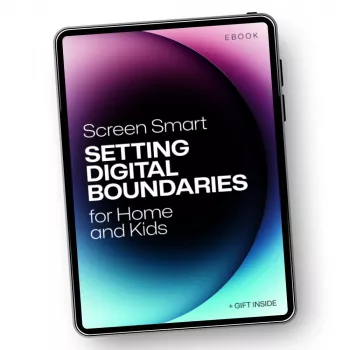
Screen Smart: A Parent’s Guide to Tech Rules for Kids (Digital Download) is built for households that want clear expectations without turning every day into a debate.
If you’re also working through comfort habits, our team made Thumb-Sucking Explained: Easy Tips & Tricks – Printable Checklist for Parents as a simple, parent-friendly support you can use alongside a calmer evening routine.
And when you want audio without a glowing screen, a dedicated listening option can help: High-Fidelity 9.2mm Beryllium-Coated Single Driver In-Ear Headphones can be a helpful fit for older teens who are ready for more responsibility and need a non-screen way to decompress.
It works across a wide range, with age-based examples and adaptable boundaries from preschool through teens. You’ll choose privileges based on maturity and consistency rather than age alone.
Separate school-required use from recreational use, then build a “school first, fun later” structure. Simple supports like a homework mode routine and device-location rules can keep required tech from spilling into free time.
Use transition warnings, choose calmer (finite) content, and shorten sessions temporarily if needed. Pair the shutoff with a predictable next step and follow through without extended debates.






Leave a comment