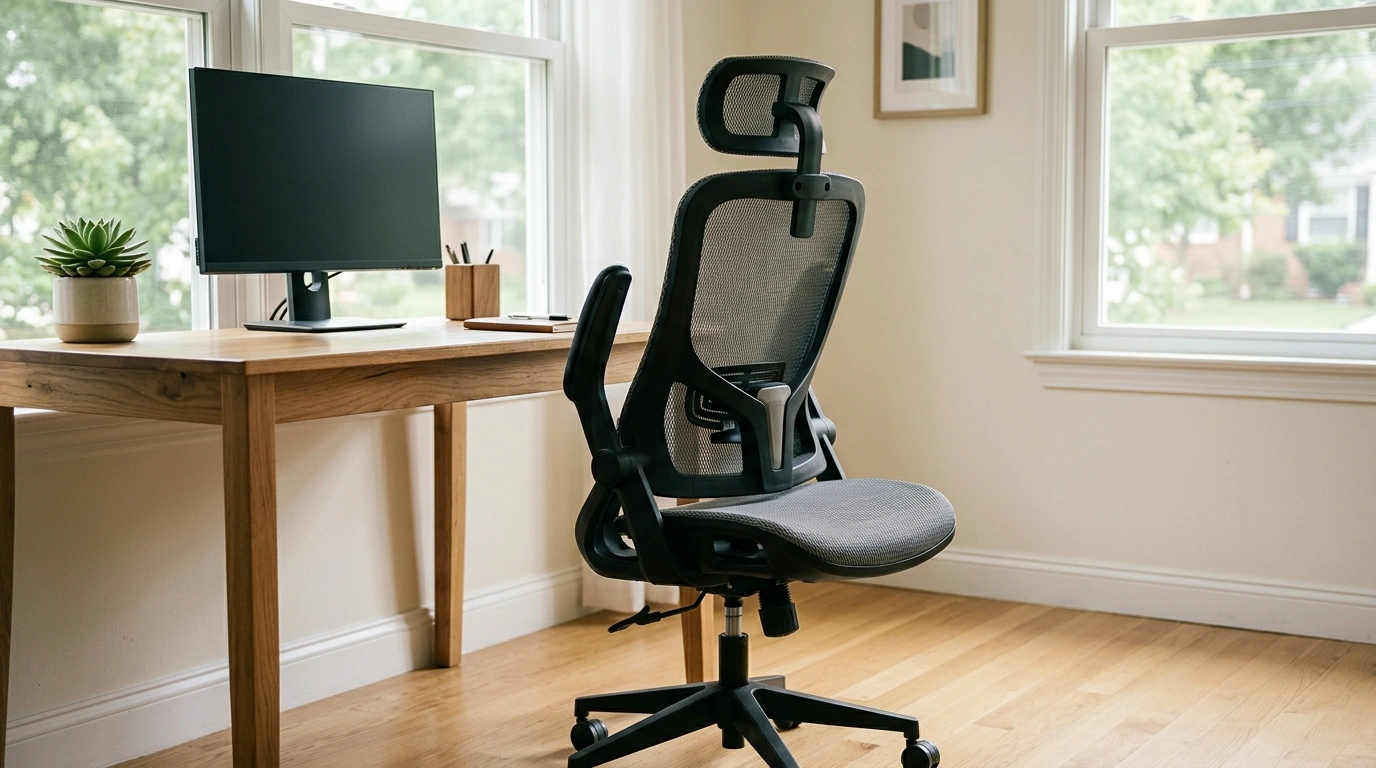
Long desk days feel lighter with a chair that supports how the body actually moves—leaning in to focus, sitting upright on calls, or tucking in close to a desk. Our ergonomic mesh office chair is built around breathable comfort and flexible adjustability, featuring an adjustable headrest for neck support and flip-up armrests for easy slide-under-desk convenience. It’s a practical upgrade for home offices, study spaces, and everyday workstations.
What this chair solves in a daily workspace
Most “workday discomfort” isn’t about one dramatic mistake—it’s the slow build of heat, tension, and posture drift. Here’s what this style of ergonomic chair is designed to address:
- Heat and stiffness during long sessions: mesh encourages airflow so your back stays cooler.
- Neck and shoulder fatigue: an adjustable headrest helps support your head and upper spine during upright work or short reclines.
- Armrest interference at small desks: flip-up armrests clear the way so you can pull closer, play an instrument, or save space when storing the chair.
- Workday posture drift: ergonomic shaping supports more consistent sitting habits when paired with a well-set desk height.
Comfort features that matter (without overcomplicating your setup)
Our team likes ergonomic gear that improves your day without turning your chair into a “project.” These are the features you’ll notice right away:
- Breathable mesh back: designed to promote ventilation and a lighter, less bulky feel than fully padded backs.
- Adjustable headrest: helps position support where you need it—especially helpful when you’re keeping your screen at eye level and trying to reduce craning.
- Flip-up armrests: keep your arms supported while typing, then lift out of the way when space is tight or you switch tasks.
- Everyday ergonomic shaping: intended to encourage a more neutral seated position for work, study, and browsing.
Quick feature-to-benefit guide
| Feature |
How it helps |
Best for |
| Mesh back |
Encourages airflow and reduces that “stuck to the chair” feeling |
Warm rooms, long sessions, shared spaces |
| Adjustable headrest |
Adds support for neck/upper back alignment when sitting upright or easing back |
Video calls, reading, focused computer work |
| Flip-up armrests |
Creates clearance to slide under desks or move closer to a keyboard tray |
Small desks, multi-use rooms, compact storage |
| Ergonomic profile |
Supports more consistent posture with less effort |
Home offices, study corners, daily workstation use |
How to set it up for a better-feeling workday
A solid chair helps most when you dial in a few basics. Use this quick routine the first day, then fine-tune over the next week as your body “votes” on what feels best.
- Start with seat height: aim for feet flat on the floor (or on a footrest) with knees roughly level with hips.
- Bring the chair close: sit back so the backrest supports your spine, then move the chair toward the desk rather than leaning forward.
- Adjust the headrest: position it so it supports your head gently—support should feel present, not like it’s pushing your head forward.
- Use armrests intentionally: keep shoulders relaxed with elbows resting lightly; flip armrests up if they prevent you from pulling close enough to your desk.
- Match the monitor to the chair: set the screen so the top portion is near eye level to reduce neck bending.
If you want deeper workstation guidance beyond the chair itself, these resources are a helpful reference: OSHA’s Computer Workstations eTool, NIOSH ergonomics guidance, and the Cornell University ergonomics site.
Where flip-up armrests make the biggest difference
Armrests are useful—until they’re in the way. Flip-up armrests are a simple fix for real-life desk layouts:
- Compact workstations: lift the armrests and slide the chair under the desk to reclaim floor space.
- Keyboard trays and narrow tabletops: create clearance so you’re not forced to reach forward or twist at the shoulders.
- Multi-purpose rooms: a chair that stows neatly helps a bedroom office or dining-area setup feel less crowded.
- Creative setups: helpful for guitar practice, drafting tables, or switching between typing and close-in tasks.
Who this chair fits best
- Home office and hybrid workers who want breathable back support and quick desk clearance.
- Students building a comfortable study space without making the room feel crowded.
- Anyone who alternates between typing, reading, and quick breaks—and wants an adjustable headrest for intermittent support.
- Shoppers who prefer straightforward ergonomics that work day-to-day without a steep learning curve.
In-stock picks from our store
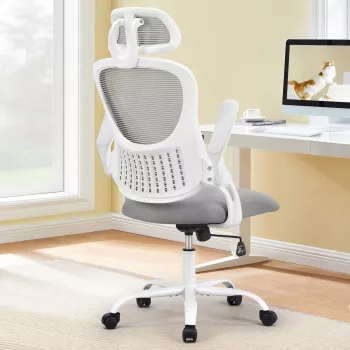
If you’re ready to upgrade your setup, these options are available now:
A simple workstation checklist to pair with the chair
FAQ
How do flip-up armrests help at a desk?
Flip-up armrests give you clearance to slide closer to your desk, which can reduce reaching and shoulder tension. You can keep arm support when you want it, then lift the rests out of the way when you need more room or want to tuck the chair in.
Where should an adjustable headrest sit for comfortable support?
The headrest should lightly support the back of your head and upper neck without pushing your head forward. Make small adjustments while sitting in your normal working posture until the support feels present but not forceful.
Is a mesh back good for long work sessions?
A mesh back can feel more comfortable over long sessions because it promotes airflow and reduces heat buildup. For best results, pair it with a well-set seat height and short movement breaks throughout the day.
Recommended for you





Leave a comment