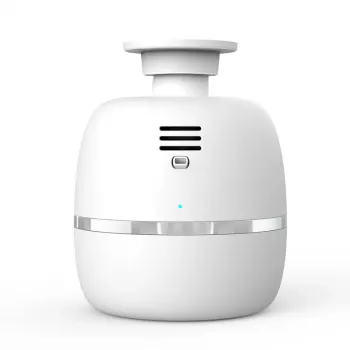
Connecting a Bluetooth aroma diffuser is usually quick once the diffuser is powered on, in pairing mode, and your phone’s Bluetooth is ready. The exact steps can vary by model, but the flow below works for most smart diffusers used in larger rooms.
Plug in the diffuser (or fully charge it if it’s cordless) and turn it on. Keep your phone within a few feet during setup to prevent pairing dropouts, especially in busy Wi‑Fi/Bluetooth environments.
Many diffusers enter pairing mode automatically the first time they’re turned on. If yours has been paired before, press and hold the Bluetooth or power button (often 3–10 seconds) until you see a blinking light or hear a confirmation tone. If nothing changes, power-cycle the diffuser and try again.
On iPhone: go to Settings > Bluetooth and turn Bluetooth on. On Android: go to Settings > Connected devices (or Bluetooth) and turn Bluetooth on. Look for the diffuser name (sometimes shown as a model number), tap it, and confirm pairing if prompted.
Some aroma diffusers pair directly in Bluetooth settings, while others require pairing inside the brand’s app for features like timers, mist intensity, or lighting controls. If your app asks for permissions (Bluetooth, Location on Android), allow them so it can discover the device.
Forget the diffuser in your phone’s Bluetooth list, then retry pairing. If the diffuser supports a factory reset, run it and attempt setup again. Also make sure the diffuser isn’t still connected to another nearby phone.
For model-specific setup tips, room-size guidance, and smart features, visit the full guide: https://perfectpickspalace.shop/guide-smart-bluetooth-aroma-diffuser-large-rooms-guide/.
Make sure it’s in pairing mode and not already connected to another device, then “Forget” it in Bluetooth settings and pair again. If the app is required, enable Bluetooth permissions (and Location on Android) and relaunch the app. If it still won’t connect, power-cycle the diffuser and perform a factory reset if available.





Leave a comment